Pandemic Isolation
Sheltering in place behind the COVID veil has made it awkward to impossible for those of us whose lives have revolved, in part or entirely, around making music with others. If you've tried to fill that void with readily available technology like Zoom, Skype, et al. you have no doubt run smack into the the Latency "Wall"—the time it takes our music to be captured, encoded, transmitted, decoded and played going and coming across the World Wide Web.
The Bad News
There is no turnkey solution or magic box at this time. You can't just download an app on your phone or computer, open an account on a website, or plug a mic into a box. Some tinkering and a little learning is currently required, and is likely to be so for the next year or so. If you can wait a year or two for a plug-and-play solution, hang in there.
But.....!
There are inexpensive and workable FOSS solutions/mitigations for the latency problem available right now: Jamulus, Soundjack, Jacktrip, et al. Of these, Jamulus provides the least complicated and increasingly widespread solution to date.
Jamulus is allowing musicians to both play and perform together in virtual rooms over distances of up to 200-300 miles on consumer-level broadband services right now!
Jamulus: How To Get Your Low-Latency Mojo On
You will need the following in order to play online with others in real-time via Jamulus:
- A decent broadband connection: at least 2 Mbps both download and upload. Most cable services (Comcast, et al) will suffice, as will many ADSL providers (AT&T, et al). The Speedtest web page will give you a verdict on this.
- A desktop computer or laptop. Jamulus doesn't need a powerful machine to run. More important is not running other programs, multiple windows, etc. while you are trying to jam. Even the most powerful desktop may burble and click for you if you also want to leave your Email client, your media server, your Facebook page, etc. open in addition to Jamulus.
- An ethernet cable. Wifi will not usually work for this; it introduces too much latency. Ethernet "Cat5"or "Cat6" cables are cheap, and are a simple plug-in running from the back of your modem/router and into your computer. Price: $8-20 depending on length.
- The Jamulus software installed on your computer. Links to "How-To" pages detailing this are posted on the Get Setup page of this site. Price: Free, but BAM donate to the SourceForge project to support their work. Supported operating systems are:
- MS Windows 10 (offically. Many report success with 7 and even XP)*
- OSX from El Capitan onward
- Linux
- Jamulus OS (USB Drive Boot)
*Windows will need additional low-latency driver software installed for best results when using your computer's built-in audio.. The ASIO4ALL FOSS package replaces Microsoft's extreemly vanilla coding with optimzed low-latency performance algorithms. If you are using a Digital Audio Interface (see next bullet •), the driver software that came with it will make ASIO4ALL unnecessary.
- Headphones. Essential to prevent a feedback loop. Jamulus does not process the audio to eliminate this the way Zoom and cell phones do, as that adds a good deal of lag to the audio stream. This and automatic volume control (AGC) and compression to favor speech rather than the full sound spectrum is part of the reason that video calls don't work for musical collaboration. A decent microphone can also be a plus, to improve your signal quality. (Price: varies widely for both, depending on quality.)
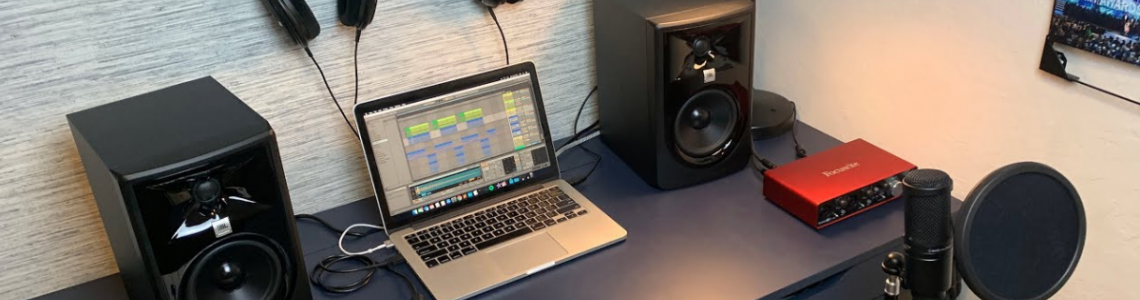
- Not essential, but a huge plus: A Digital Audio Interface or External Sound Card. These will usually plug into a USB port, and come with their own low-latency driver software. Your computer's built-in sound card is unlikely to perform as well as even the least expensive of these units, and their accompanying drivers will guarantee that the low-latency performance built into them won't be compromised by generic code in your operating system. Price: New $70-$200+ / Used as low as $50 on EBay.
See the Get Setup page for more detail on how these come together.