Setting Expectations
Many folks, usually those with good equipment, have a great experience straight out of the gate. For those who don't, despair not. Some patience and a bit of tweaking, along with help from the very supportive Jamulus community will most times get you a playable installation. Then you just need to find (or arm-twist) other Jamulus players with whom to frolic.
Here are some common issues that can crop up on your first session...and occasionally in successive hook ups as you become more familiar.
Troubleshooting
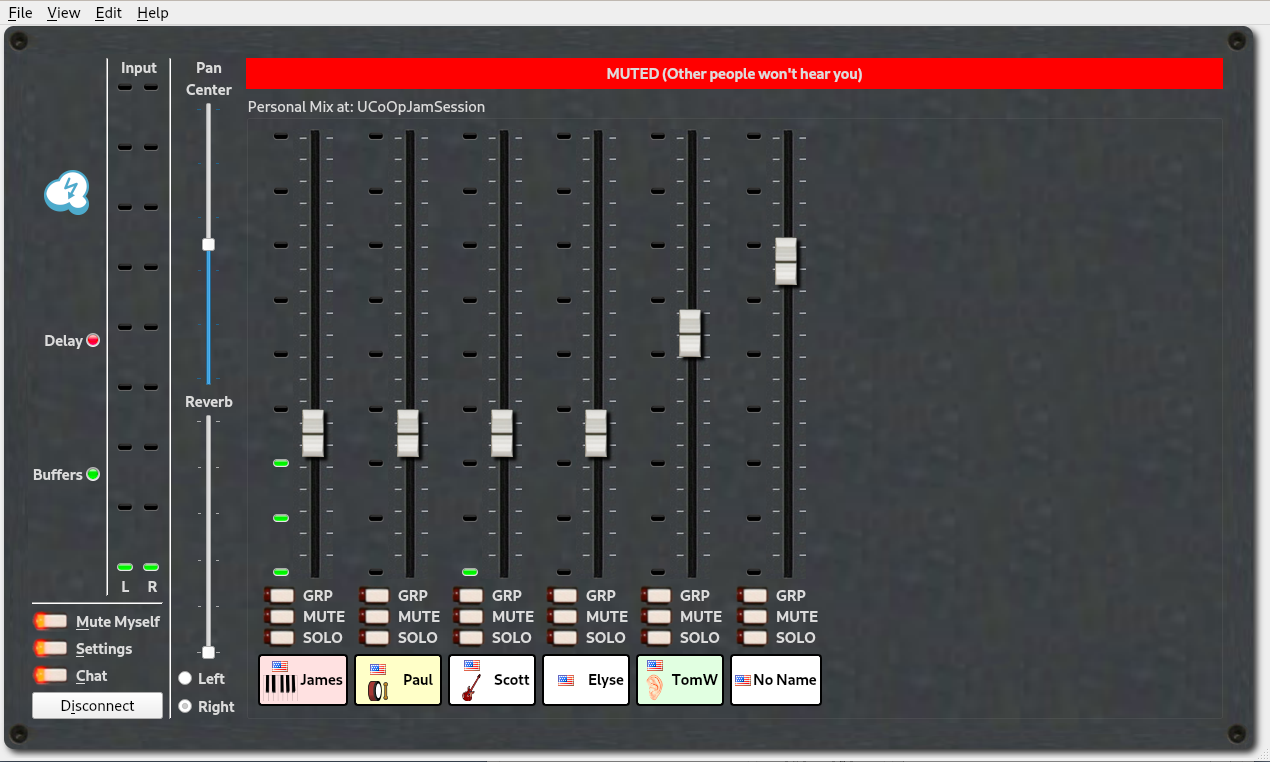
| I Can't Hear Myself. | Are you muted?
NB: If latency is above 30ms, it is a good idea to have your volume set so that you stand out well in the mix. This will help you play or sing "to the mix" in your headphones rather than to the sound in the room. |
| Others can't hear me. | Again, are you muted? Remember that you have the "Chat" feature to talk to check with folks if they can't hear you or if you don't have a microphone.
|
| I'm hearing lot's of clicks or crackles in the sound. |
|
| I'm hearing drop-outs: 1-5 secs of no sound. |
|
| Poor quality sound or difficulty connecting | This applies to the previous two points as well. Make sure that your wifi is turned off or disconnected, and that the only network connection active is your ethernet cable. Some operating systems (looking at you, Apple) will either favor an active wifi connection or ignore an ethernet connection unless specifically told to use it. You may be plugged into your router, but still trying to push your music through a latency-rich wifi connection. |
Pay The Latency Piper
The best we can do is mitigate latency–at least until we learn to disconnect time from distance. Even when playing on the same stage, at 30+ feet players must notice and compensate for a lag between visual cues from other players and the sound they actually hear. Sound re-enforcement via a PA system with monitors can reduce that by sending sound through wires at the speed of light. But as distances increase, even the speed of light imposes a perceptible delay.
Pulling Us All Together
There are two ways in which Jamulus, and all the other solutions attempt to reduce latency to a manageable level–say the time it takes to slowly blink your eyes.
- Making sure you have the fastest and shortest possible WWW connection between players. This is why a broadband connection is needed, and why it's best to use ethernet cable between your computer and your modem/router. WiFi is so convenient, but time it takes to convert the WWW signal into a WiFi signal and then capture the WiFi signal and convert it into audible sound adds a huge amount of time–in speed-of-light terms–to your music's journey.
- Using extremely efficient programming to combine and synchronize sound from a variety of distances and send the combined signal back to the players.
Playing "to the Mix"
In addition to the technology, which in general reduces latency to unnoticeable levels within a short distance (under 100 miles) over a decent internet routing there is also a human factor that can be developed to accommodate lag introduce by greater distance or internet congestion (scheduling a session during the NBA playoffs is probably not a good idea). If you hold your attention on the mix coming into your headphones and play to that rather than the sounds you hearing from the room where you are playing or singing, you will avoid the tendency to slow down or lose the downbeat altogether that plagues everyone trying to battle latency. You will be surprised at how quickly this skill can be acquired, though it helps if you can come to it gradually rather than immediately trying to join a session a continent away.